


This is the 10th version of Info-Recall. We released the first version in 1992, and since then our users have told us what was good, what was bad, what applications they wished it offered - and we listened and responded. The result is information management technology so sophisticated and powerful it should cost a fortune (but doesn't), and so simple and quick to use it ought to deliver only a few benefits (but it delivers every benefit very well).



Features Overview
The Power of a WYSIWYG Editor
| ? | A full Word Processor |
| ? | Document size limited only by your RAM |
| ? | Full text formatting |
| ? | Support for graphics |
| ? | Tables & Columns |
| ? | Bullets & Numbering |
| ? | Paragraph formatting |
| ? | Borders & Shading |
| ? | Manual & Automatic spell checking ^ top |
These are just some of the features there are many more.
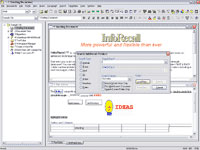
Multiple Document View
| ? | Open multiple documents |
| ? | Easily switch between documents |
| ? | Tabbed windows |
| ? | Work on multiple horizontal or vertical tiled documents ^ top |
Network Ready
| ? | Share your information |
| ? | All users can open the same folder |
| ? | Documents are locked to restrict modification to one user |
| ? | Documents are read-only if in use by someone else |
| ? | TDocuments can be made read-only to prevent modification ^ top |
Backup Utility
| ? | Backup your valuable data with the included Backup Utility |
| ? | Backup single or multiple InfoRecall Data folders |
| ? | Restore single or multiple InfoRecall Data folders ^ top |
Lightening Fast Searches
| ? | Normal |
| ? | Exact |
| ? | Fuzzy |
| ? | Boolean searches (AND, OR, IF NOT) using two search words |
| ? | Date searches (=, <, >) using one or two dates |
| ? | Numeric Searches (=. <, >, >=, <=) using one or two numbers |
| ? | Match Whole Word |
| ? | Index searches. |
| ? | Narrowing of search results for more exact results ^ top |
Hypertext & Hyperlinks
| ? | Text to text in a document |
| ? | Pop-Up Text. Text that’s part of a document but hidden until clicked on |
| ? | Another document in the same file |
| ? | A document in another file |
| ? | Any file and open the file in the appropriate program |
| ? | Another program |
| ? | Your Browser to open a Web Site |
| ? | Index searches. ^ top |
Synchronize Data
| ? | Synchronize files from one computer to another |
| ? | Synchronize any file not only InfoRecall files |
| ? | San source and target files to see if synchronization is needed |
| ? | Compares date and time and suggests synchronization ^ top |
Publish Document as
| ? | Web Page retaining fiull formatting including graphics |
| ? | RTF (Rich Text Format) file to open with Winword and many other applications |
| ? | TXT (Normal Text) file ^ top |
Quick Type tm
| ? | Facilitates text entry by keyboard |
| ? | Type an abbreviation, press the Space Bar and Quick Type does the rest |
| ? | Types single words, phrases, sentences or multiple lines of text |
| ? | Quick Type does the typing for you ^ top |
Boilerplate Utility
| ? | Use a library of reusable text |
| ? | Assemble standard clauses for contracts, agreements, leases etc.. |
| ? | Paste assembled paragraphs into document ^ top |
New Document from Clipboard
| ? | Creates a new document from text in the Clipboard on the fly |
| ? | Works even when InfoRecall is in System Tray |
| ? | Automatically names Document |
| ? | For users who copy lots of text from variable sources and store it ^ top |
Time Tracker
| ? | For Lawyers, Consultants, Accountants or other professionals |
| ? | Keeps track of client time and client charges |
| ? | Progam Cost per hour and Currency |
| ? | Paste Date, Start, Finish time, Total Time, Cost per Hour and total Cost ^ top |
Reminders
| ? | Note or Document based reminders |
| ? | Schedule calendar events |
| ? | Keeps track of events and calls them to your attention |
| ? | Check Past, Current, Future and All events ^ top |
Templates
| ? | Enter information in a more structured way |
| ? | Design templates specifically for your use |
| ? | Use text fields and graphics and captions |
| ? | Templates are shown in the Templates menu ^ top |
Security Features
| ? | Logon Passwored |
| ? | Password InfoRecall Folders |
| ? | Password Documents |
| ? | Make Documents Read-Only ^ top |
Automatic Document Save
| ? | Saves your document or changes to your document automatically. |
| ? | Saves Document when opening another Document or Folder ot when Exiting |
| ? | Program it to save Documents every so many minutes ^ top |
Exit to System Tray
| ? | Exit to System Tray foe quick restore |
| ? | If a Folder or document was open it will remain open |
| ? | Still calls features programmed for startup ^ top |
